Contractor pack · 2 workbooks
Know which jobs make money, and the week cash gets tight.
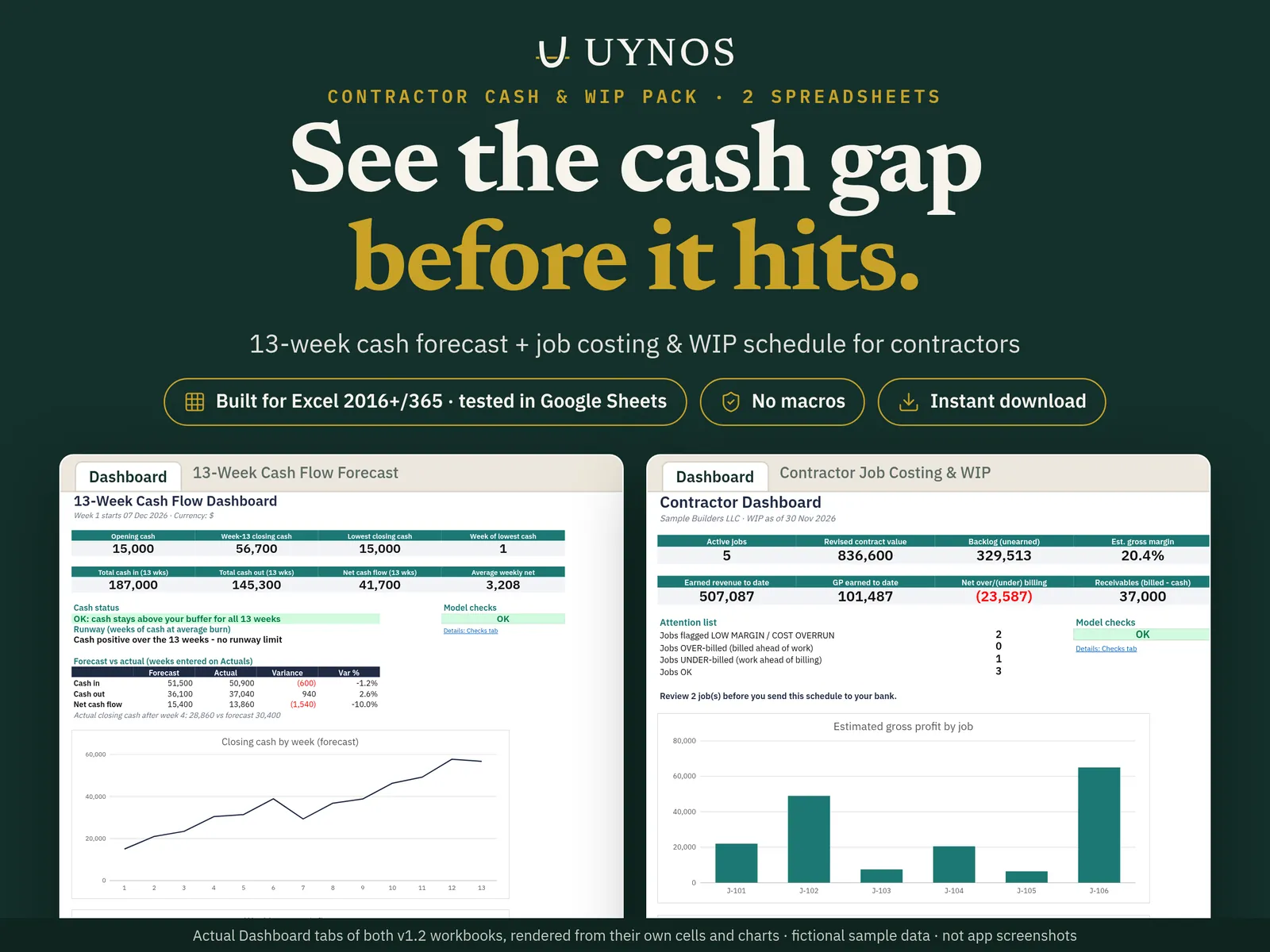
A job costing & WIP schedule plus a 13-week cash flow forecast. Type the contract, cost and billing numbers you already know; the files work out percent complete, over/under billing, profit by job and your lowest cash week.
Checkout and instant download on Etsy (Etsy may add sales tax or VAT). 14-day file guarantee.
- For Microsoft Excel & Google Sheets
- No macros, no add-ins
- Built by a CFO with 20+ years of experience
What it does for you
Contractor Job Costing & WIP + 13-Week Cash Flow, in plain terms.
Stop being the bank on your own jobs
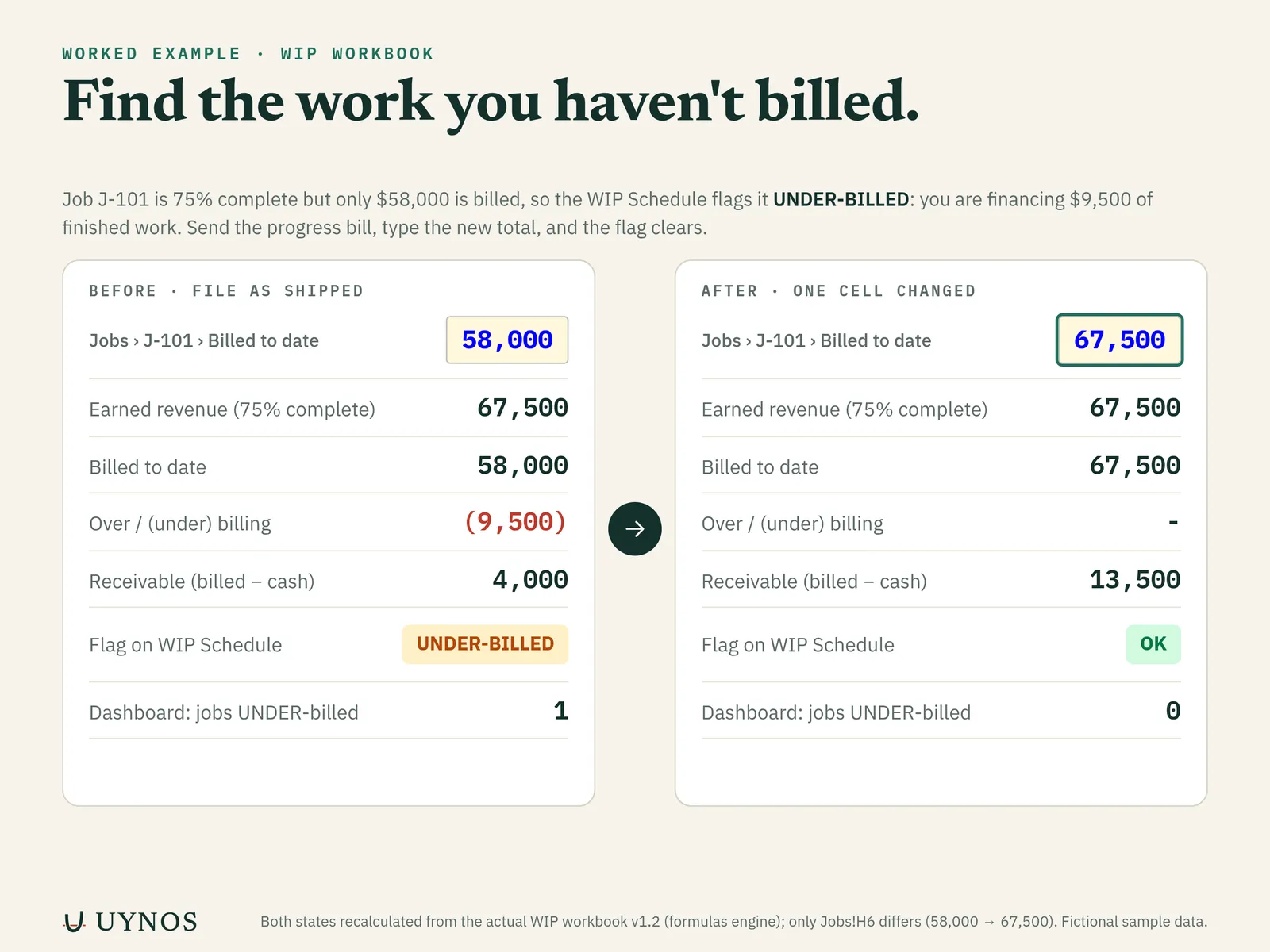
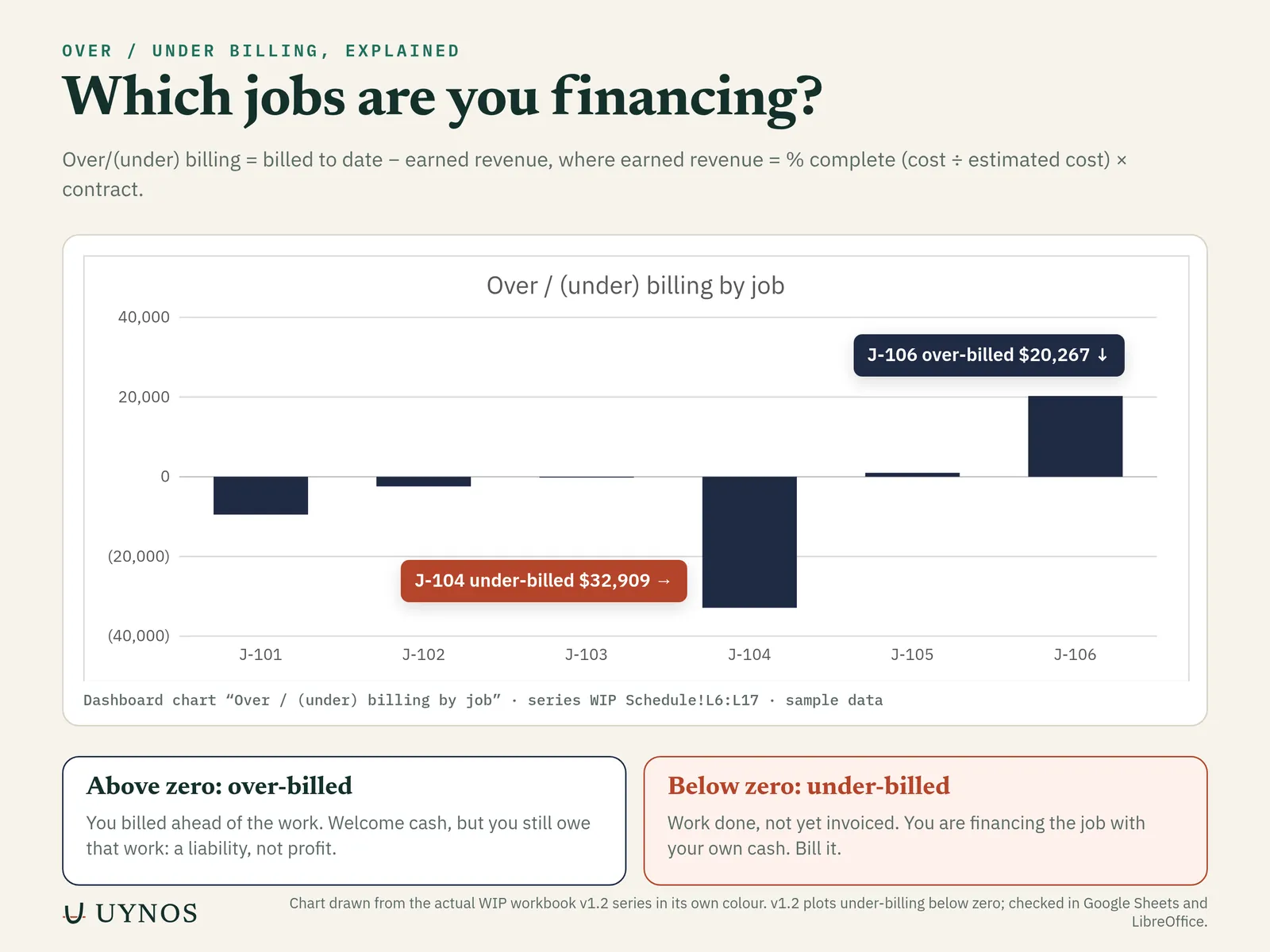
The WIP schedule shows each job’s over- or under-billing, so you see where you have done the work but not sent the invoice.
Catch a cost overrun before the final invoice
The Dashboard flags jobs with low margin, cost overrun, or over/under billing.
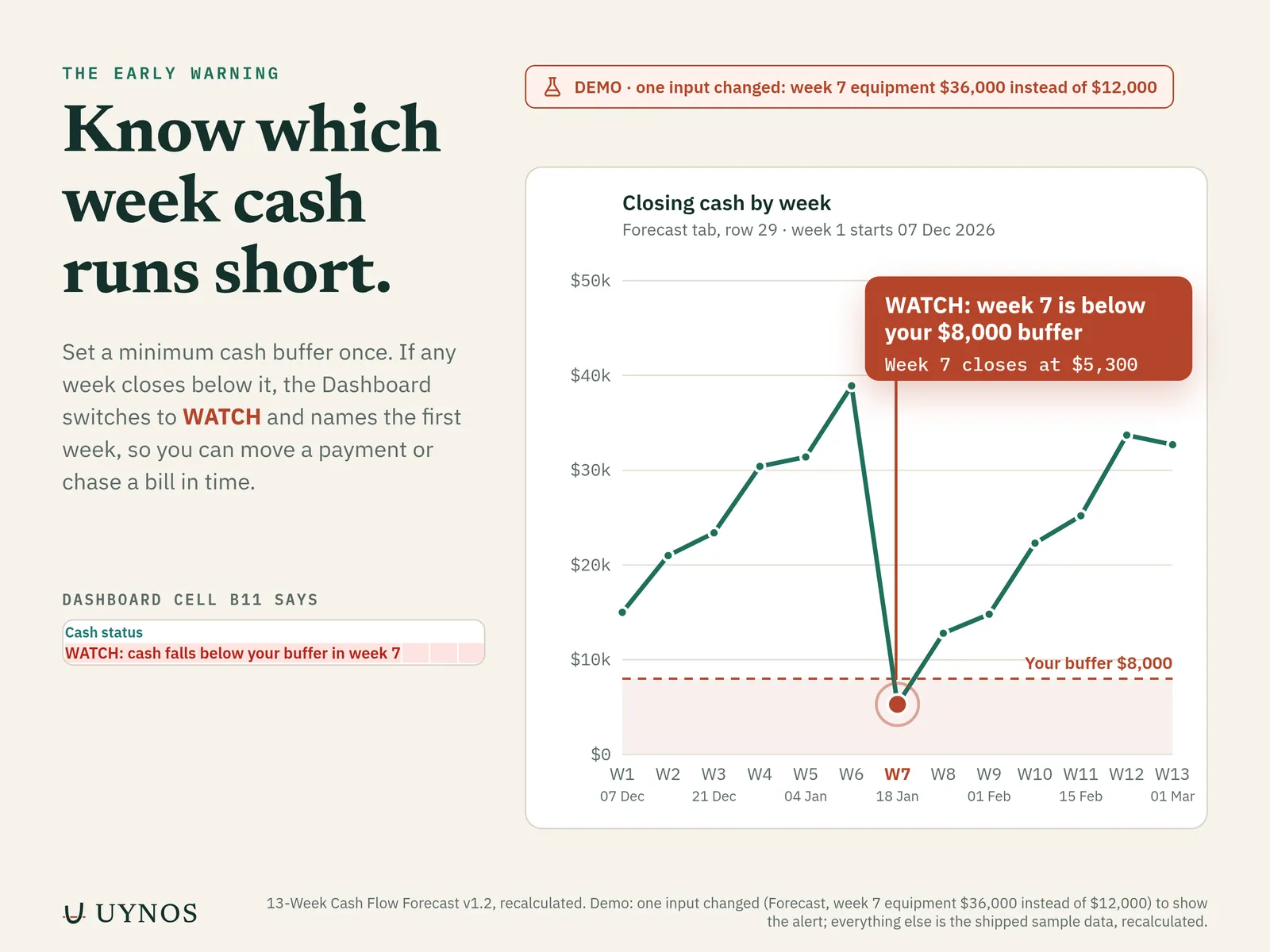
See the cash gap before it hits
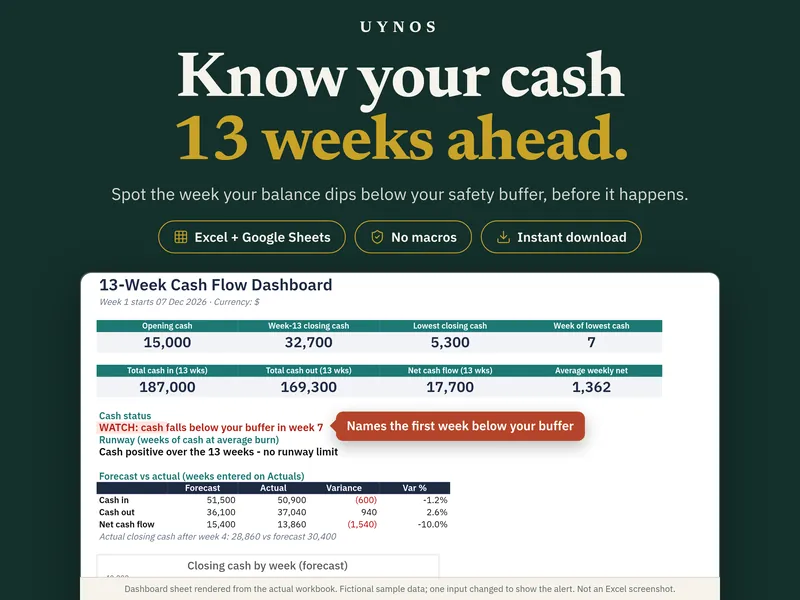
13 weeks of cash in and out. If any week falls below your minimum buffer, the status switches to WATCH and names the week.
A Checks tab in each file
Live tie-outs say OK or ERROR, so a typed-over formula does not go unnoticed.
Inside the file
See the actual tabs.
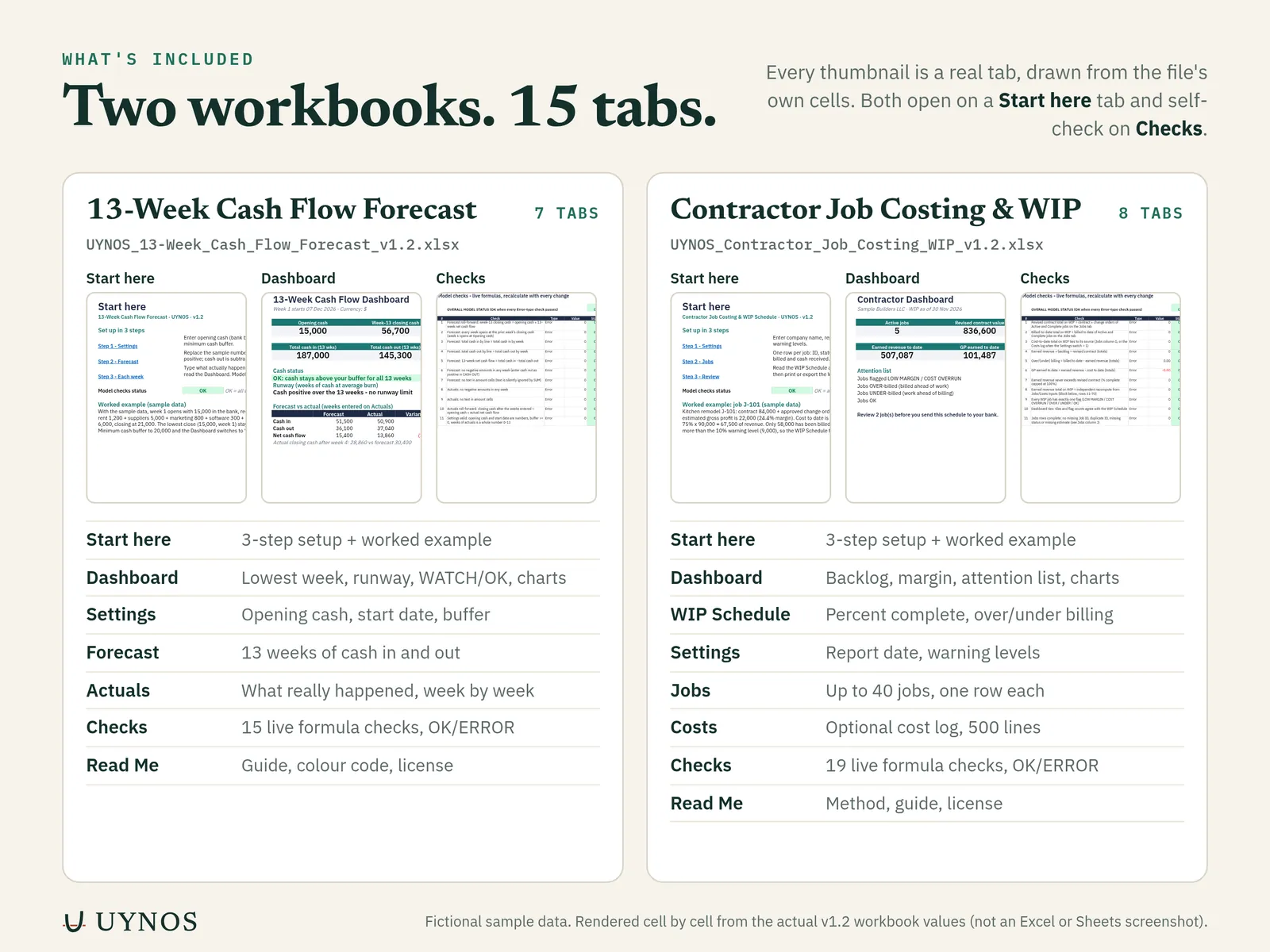
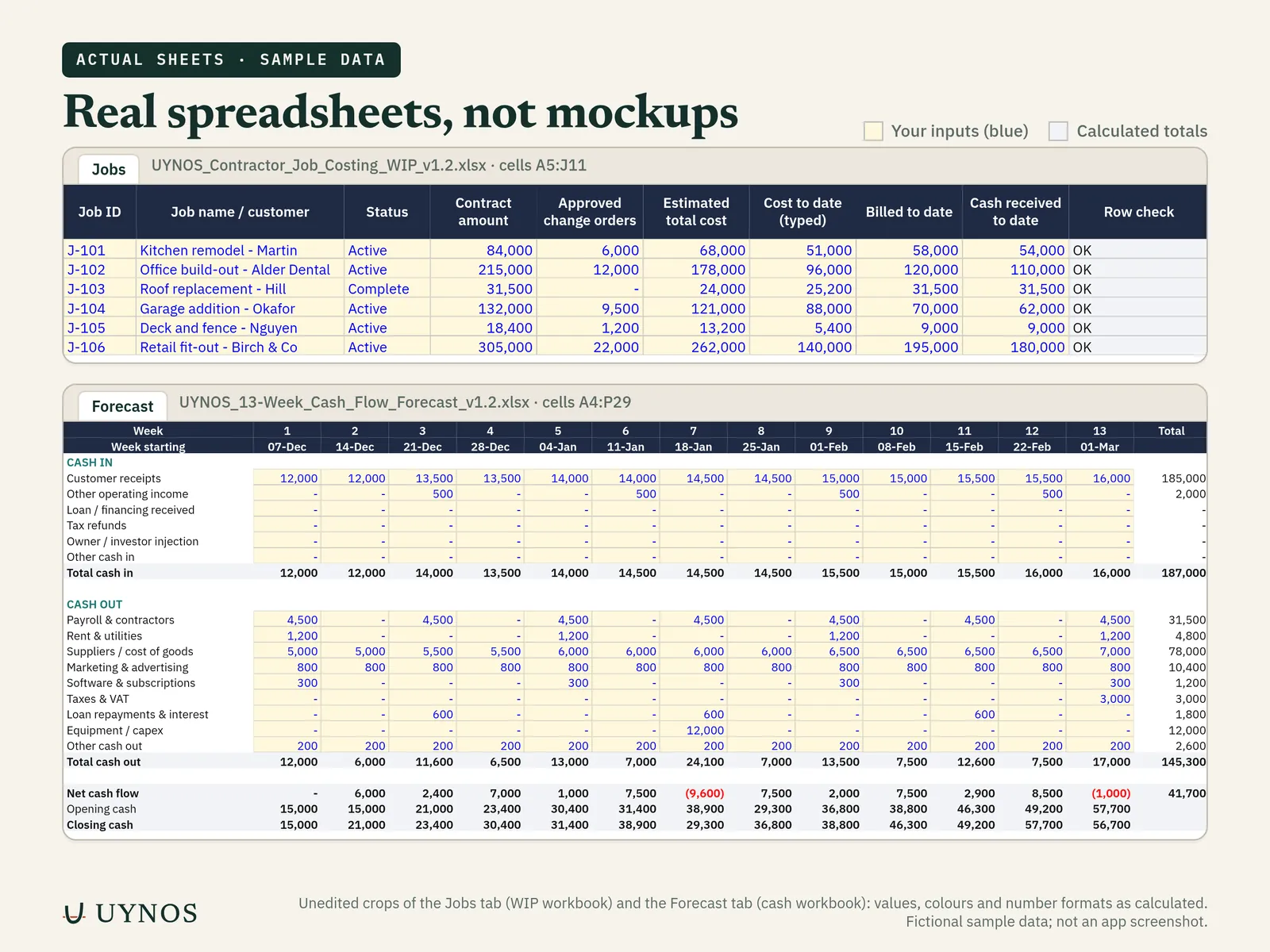
Every image is drawn from the workbook itself with its fictional sample data. Select an image to open it full size.
What's included
2 .xlsx files (8 tabs + 7 tabs).
- UYNOS_
Contractor_ Start here, Settings, Jobs (up to 40 jobs), Costs log (optional, up to 500 lines), WIP Schedule (print or save as PDF), Dashboard, Checks, Read Me.Job_ Costing_ WIP_ v1.2.xlsx - UYNOS_
13-Week_ Start here, Settings, Forecast, Actuals, Dashboard, Checks, Read Me.Cash_ Flow_ Forecast_ v1.2.xlsx - Fictional sample dataBoth files ship with sample numbers so you can see them working before you type your own.
Method in the WIP file: percentage of completion, cost-to-cost. Percent complete = cost to date ÷ estimated total cost (capped at 100%). Earned revenue = percent complete × (contract + approved change orders). Over/under billing = billed to date − earned revenue.
How it works
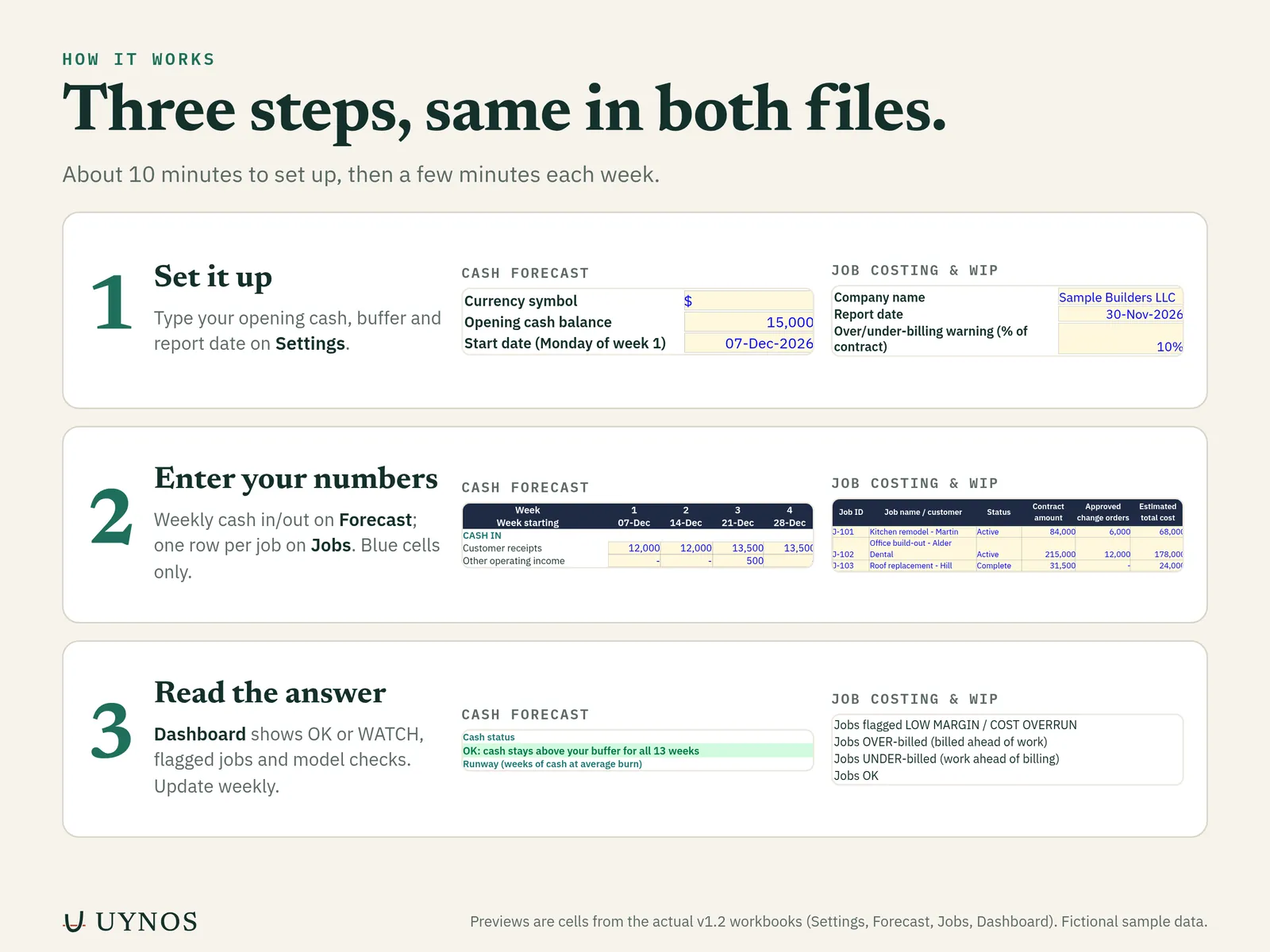
Three steps.
Download the file from your Etsy account (Purchases) and open the Start here tab.
Type your own numbers in the input cells (colour-coded; the legend is on the Start here and Read Me tabs). Formula cells calculate everything else.
Read the Dashboard. If Checks says ERROR, the Checks tab tells you what to fix.
Compatibility
What we checked, and what we have not.
Recalculated and checked in Google Sheets and LibreOffice Calc, with the results compared against a separate calculation.
| Microsoft Excel 2016+ / Microsoft 365 | BUILT FOR Standard functions only. Not yet opened in Excel (desktop, Mac or online) by us; covered by the 14-day file guarantee. |
|---|---|
| Google Sheets | CHECKED Uploaded and recalculated; results matched. |
| LibreOffice Calc | CHECKED Full recalculation; results matched a separate calculation. |
| Apple Numbers | NOT TESTED |
| Macros, add-ins, external links | NONE |
| Phone | Fine for viewing; data entry is easier on a computer. |
Honest limits
What it is not.
- Not tax, legal or accounting advice, and not a substitute for your accountant. Your accountant decides how revenue is recognized for tax and financial statements.
- Not connected to your bank, QuickBooks or any other software. It does not file anything.
- No 1099/W-9 tracking, estimating or bid templates in this pack.
- Not a physical product. Nothing is shipped.
Do I need accounting knowledge?
No. Each file has a Start here tab with a worked example. The WIP terms (percent complete, over/under billing) are explained in the Read Me tab.
How many jobs can I track?
Up to 40 jobs on the Jobs tab and up to 500 lines in the optional Costs log.
Can I give the WIP schedule to my bank or bonding agent?
You can print the WIP Schedule tab or save it as PDF. Whether it meets a particular lender’s or surety’s requirements is up to them, so ask what format they want.
Is the 13-week cash flow file the same as the one sold on its own?
Yes. The pack includes the same 13-Week Cash Flow Forecast workbook. You do not need to buy both.
Will it work in Microsoft Excel?
It is built for Excel 2016 or later and Microsoft 365, using standard worksheet functions only (no macros, add-ins, external links or passwords). Our own testing so far was done outside Excel (see Compatibility above). If anything does not work in your Excel, the 14-day file guarantee applies.
How do I use it in Google Sheets?
Upload the .xlsx to Google Drive and open it with Google Sheets (or File > Import). Chart styling can look slightly different from Excel.
How do I get the file?
You buy on Etsy and download the .xlsx from your Etsy account (Purchases). It is a digital file; nothing is shipped.
What is the refund policy?
If the file will not open or calculate correctly in current Excel or Google Sheets, message us through Etsy (or email support@uynos.com) within 14 days of purchase. If we cannot fix it within 2 business days, we refund you in full. Because files download instantly, we do not refund for change of mind. Your consumer rights under local law still apply.
What does the license allow?
Single-user license: use it for your own business or for your own clients. Please do not resell or share the file itself.
How was it made?
Designed by UYNOS with AI-assisted tools and reviewed by a finance professional (a CFO with 20+ years of experience). Results were checked by recalculating the file and comparing against a separate calculation. The images on this page are renders of the actual file with fictional sample data.
It calculates from the figures you enter and does not know your full tax position or legal obligations. It is not IRS-reviewed and does not file anything. Check your inputs and talk to a qualified accountant or tax professional before making tax, financing or legal decisions.
Get the file
Contractor Job Costing & WIP Schedule + 13-Week Cash Flow Forecast
Checkout and instant download on Etsy (Etsy may add sales tax or VAT). 14-day file guarantee.
Related templates
Often used together
-
For small business owners · 1 workbook
13-Week Cash Flow Forecast
Your closing cash for each of the next 13 weeks, with a WATCH alert for the first week below your buffer.
$19Details · Buy on Etsy -
For remodelers & contractors · 1 workbook
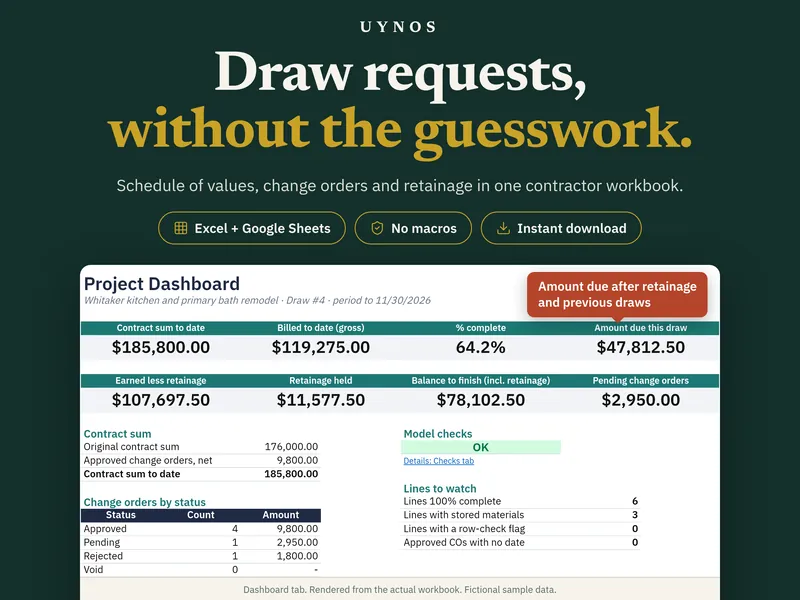
Schedule of Values & Draw Request
Schedule of values, one-page draw request, change order log and retainage, all tied together for each billing period.
$34Details · Buy on Etsy