See your bank balance for each of the next 13 weeks.
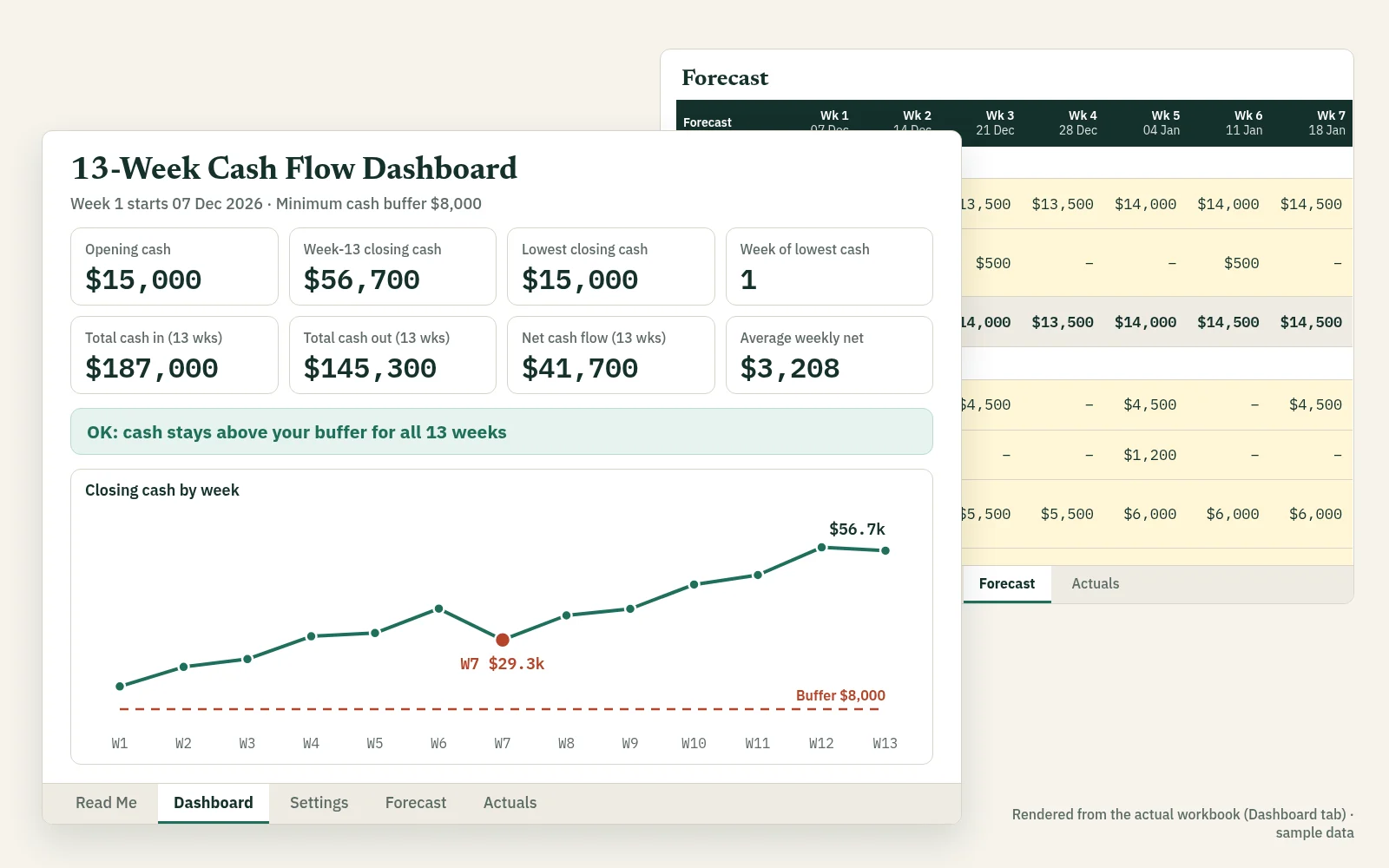
The 13-Week Cash Flow Forecast turns the money you expect in and out into a live dashboard: lowest cash point, week-13 balance, runway, and a WATCH alert that names the first week you fall below your safety buffer.
- Designed for Excel; Google Sheets testing pending
- No macros, no add-ins
- Built by a CFO with 20+ years of experience
Checkout is not open yet. The template is built and in final checks. Leave your email and we send you the download link the day it opens, at the launch price. No payment now.
You will get one confirmation email first (double opt-in), then the launch message. One-click unsubscribe in every email. We never sell or share your email. Privacy
The WATCH alert
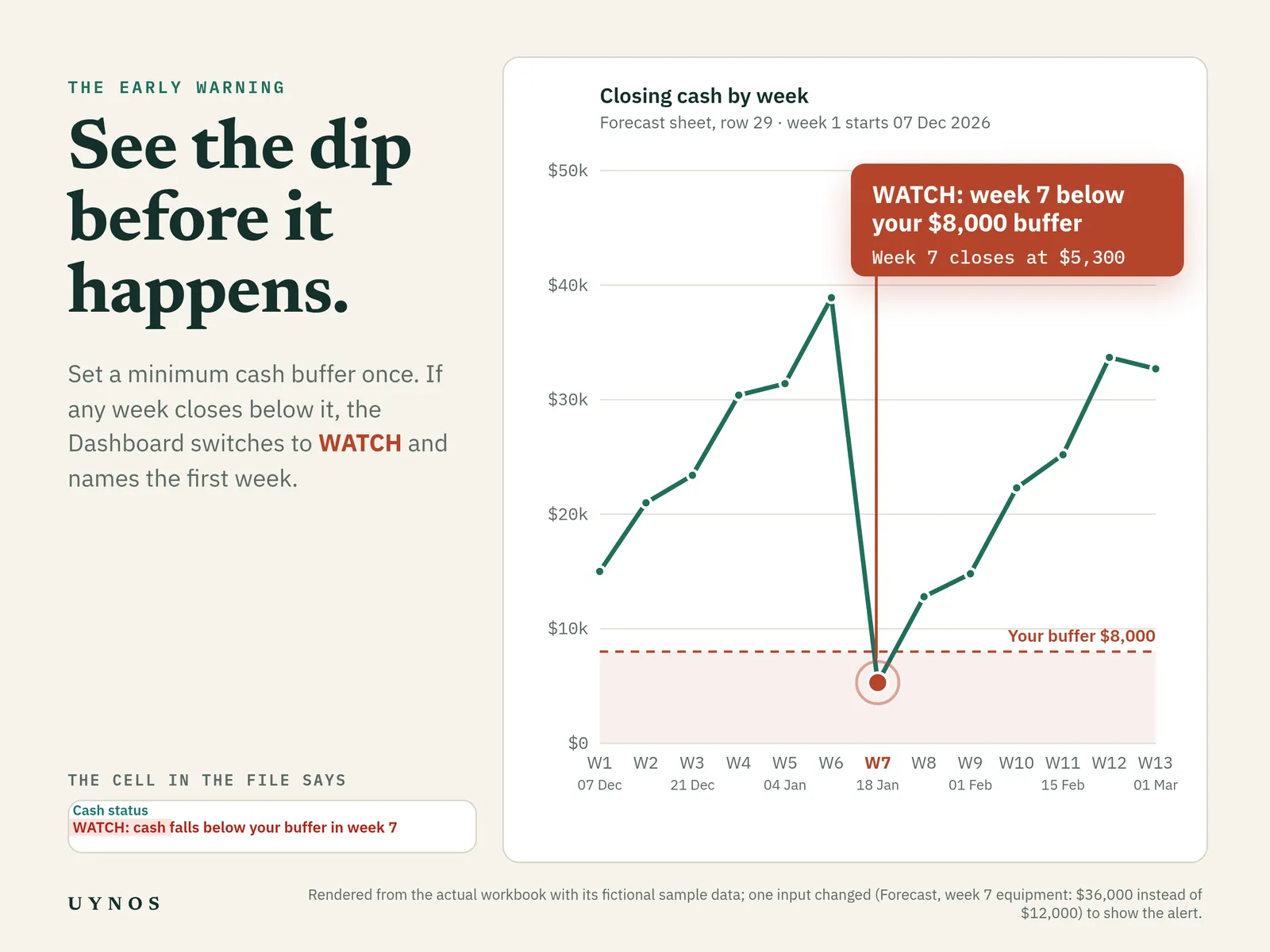
Will payroll clear in week 7? You see it weeks ahead.
- Set a minimum cash buffer once on the Settings tab: the balance you never want to go below.
- Every week's closing cash is checked against that buffer as you type your forecast.
- If any week dips below it, the Dashboard status switches from OK to WATCH and names the first week, so you can move a payment, chase an invoice or arrange funding in time.
What's included
One workbook. Five tabs.
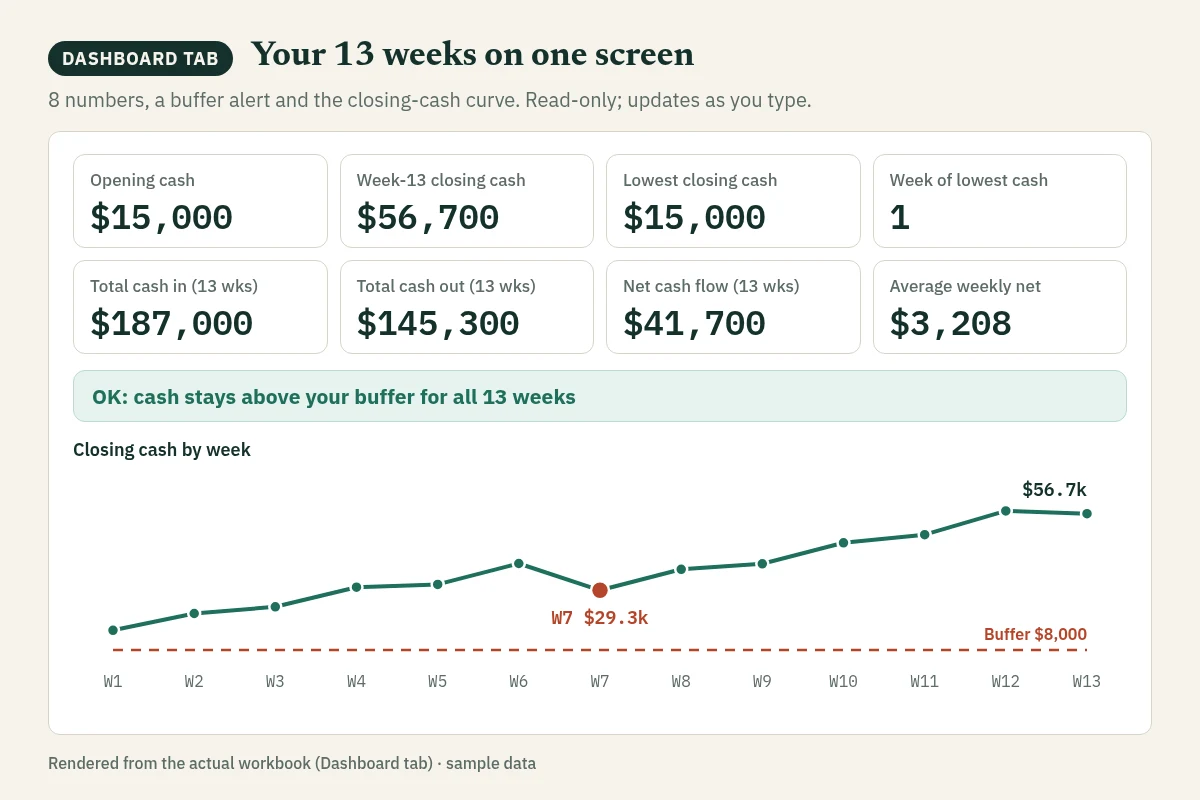
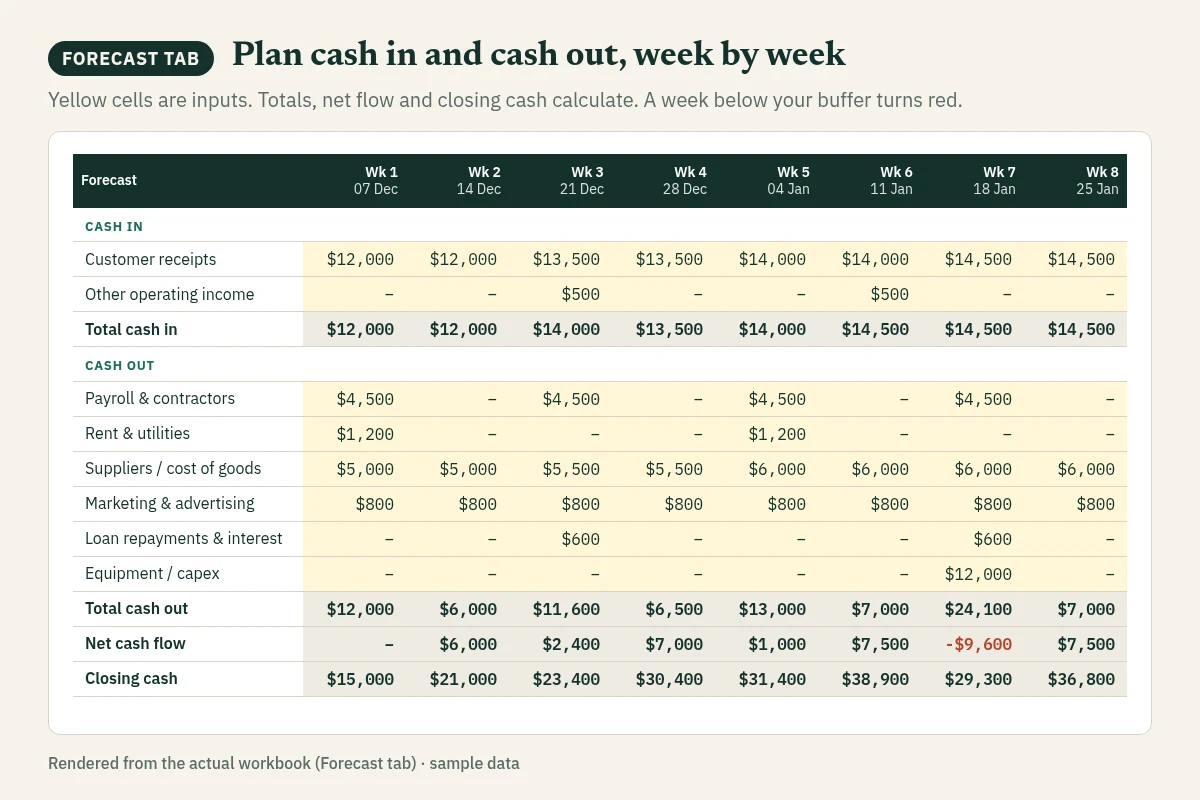
Every preview below is a real tab of the file, rendered from the workbook with its fictional sample data.
Dashboard
Eight numbers, the OK/WATCH status, runway, forecast vs actual and the closing-cash chart. Read-only; it updates as you type.
Forecast
13 weeks, 6 cash-in and 9 cash-out lines. Yellow cells are your inputs; totals, net flow and closing cash calculate themselves.
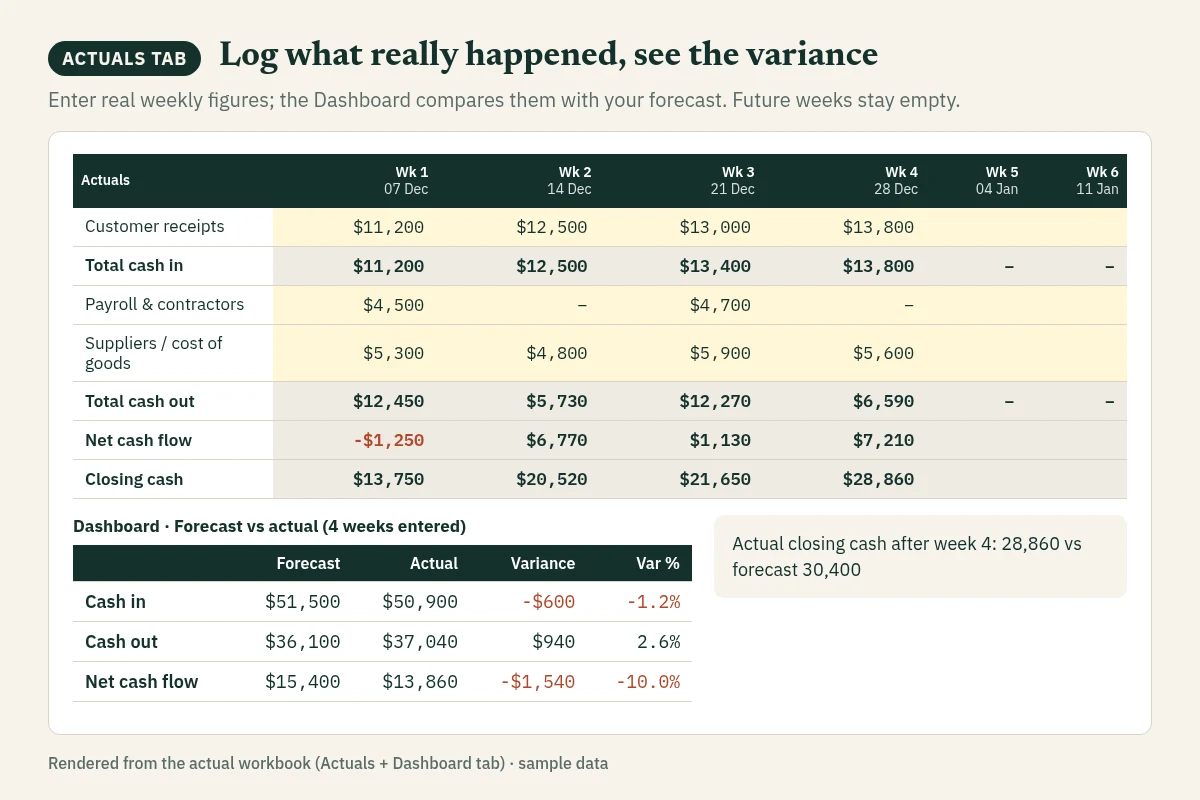
Actuals & variance
Log what really happened each week. The Dashboard puts forecast and actual side by side, with the variance.
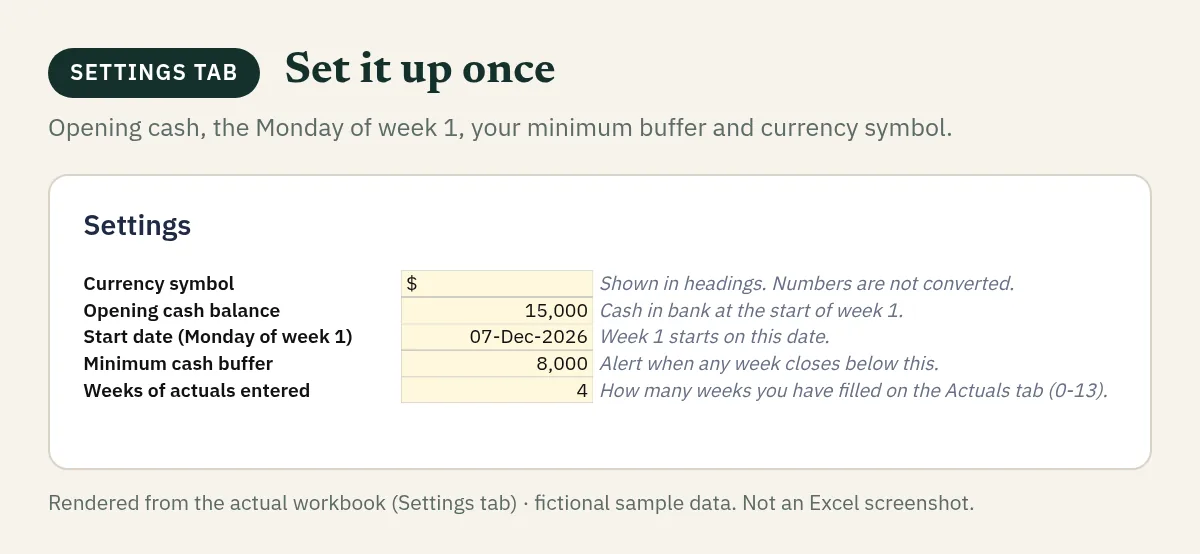
Settings
Opening cash, the Monday of week 1, your minimum buffer and currency symbol.
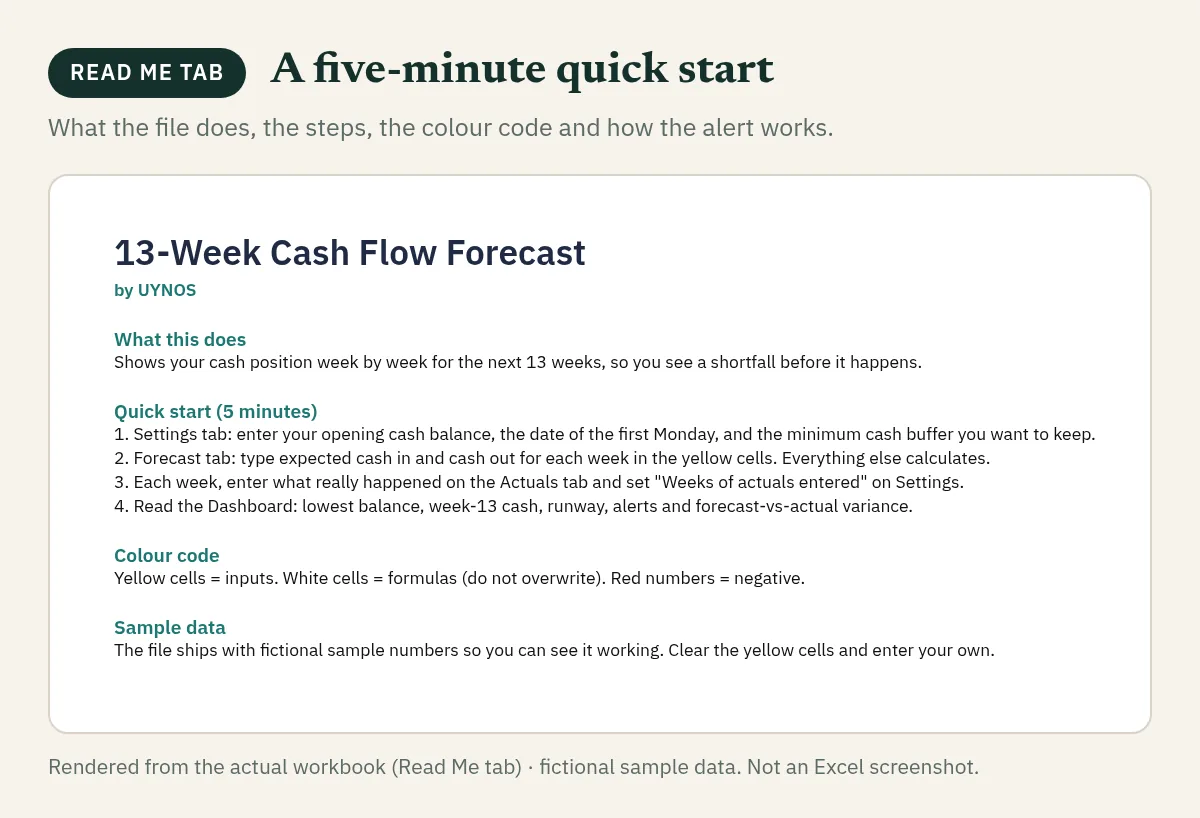
Read Me
A five-minute quick start, the colour code and how the alert works.
In the download
- One .xlsx file
- Sample data you can clear
- Plain formulas, no macros or add-ins
How it works
Three steps. About five minutes.
Then a few minutes each week to keep it current.
Set your starting point
On Settings: opening cash, the Monday of week 1 and the minimum buffer you never want to go below.
Type cash in and out
On Forecast: expected receipts and payments per week in the yellow cells. Everything else calculates.
Read the answer
On Dashboard: OK or WATCH, the lowest week, week-13 cash and runway. Update it weekly with actuals.
Who it is for
Profitable on paper, short on cash?
- Small business owners and founders who check the bank balance more often than they would like.
- Freelancers and agencies with lumpy income and fixed monthly costs.
- Fractional CFOs and bookkeepers who need a clean, client-ready cash view in minutes.
Built by a finance practitioner
The weekly cash meeting, in one file.
UYNOS builds practical finance tools designed by a CFO with more than 20 years of experience. The layout follows how finance teams actually run a weekly cash meeting: forecast, actuals, variance, decision.
Pre-launch
Get the launch price when it opens.
Checkout is not open yet, so there is nothing to buy today. Join the waitlist and we email you the download link on launch day. 14-day file guarantee once it is on sale.
Double opt-in: nothing is sent until you confirm. One-click unsubscribe in every email. Privacy
Which Excel versions does it work in?
It is built for Excel 2016 or newer, including Microsoft 365 on Windows and Mac and Excel for the web. It uses only standard functions (such as SUM, IF, INDEX/MATCH and SUMPRODUCT), with no dynamic-array or version-specific functions. Before launch we open and check the file in each of these; the launch email lists exactly where it was tested.
Does it work in Google Sheets?
Google Sheets compatibility is not yet verified. We are testing the .xlsx import, calculations, charts and input rules before launch. The launch email will state exactly which apps and versions passed testing.
Are there macros, add-ins or external links?
No. Plain formulas only: no VBA, no add-ins, no external data connections. There is no prompt to enable macros. (Excel may still open any downloaded file in Protected View; click Enable Editing.)
How do I receive the file?
At launch you get a download link by email. Instant digital delivery of one .xlsx file.
What is the refund policy?
14-day file guarantee: if the file will not open or calculate correctly in current Excel or Google Sheets and we cannot fix it within 2 business days, email support@uynos.com for a full refund. Real replies within 2 business days. Because files download instantly, we do not refund for change of mind; your consumer rights under local law still apply.
What does the license allow?
Single-user license: one person may use and edit the file for their own planning. Please do not resell, share or redistribute the file itself.
Can I use my own currency?
Yes. Change the currency symbol on the Settings tab. Numbers are not converted.
Why is there no buy button?
Because checkout is not open yet. We would rather finish testing the file than take money early. The waitlist is free, and the $19 launch price applies until 31 Dec 2026.
This is a planning tool. It calculates from the figures you enter and does not know your tax position, loan terms or legal obligations. Check your inputs, and talk to a qualified accountant or advisor before making tax, financing or legal decisions.